
Your Google Play sales, live in the menu bar.
Today's earnings in the menu bar, a banner the moment a sale or refund lands, and every new review, release and crash. Runs on your Mac with your own Google key; nothing goes through a server of ours.
One payment, VAT included. Every 1.x update, up to 3 Macs. macOS 13 or later.
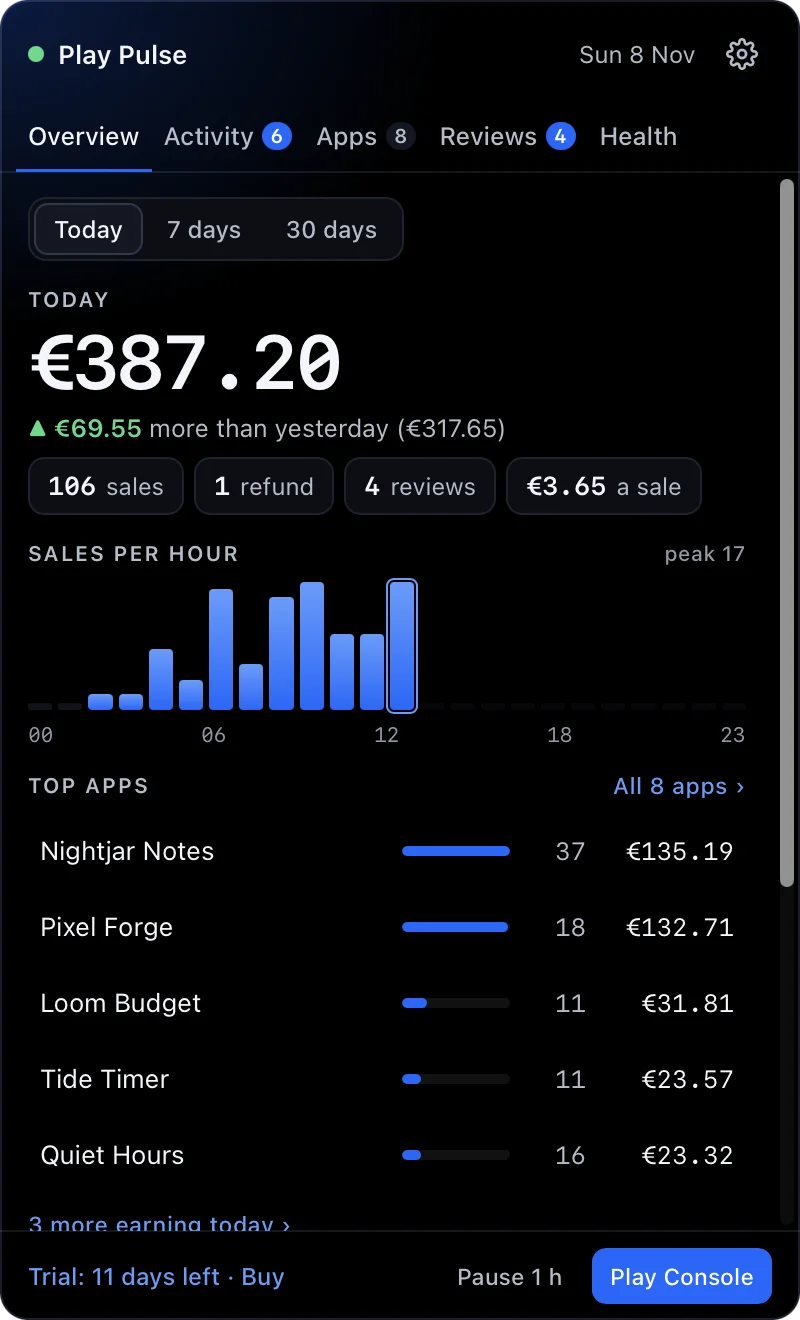
Screens show sample data.
Everything Play tells you, the moment it happens.
One click on the menu bar total opens a panel with Overview, Activity, Apps, Reviews and Health.
Sales, live
Google Play's real time developer notifications reach your Mac in seconds through a Pub/Sub topic in your own Google Cloud project. Each sale shows what you earn after tax and Google's fee.
Refunds
Refunds and chargebacks from the same notifications, plus Play's voided purchases list.
Reviews
Every new or edited review, checked every 5 minutes, with the average and a star filter. Play Pulse never replies on its own.
Releases
A banner when a new version is live on Google Play, from the public listing every 15 minutes.
Crashes and ANRs
New crash and ANR clusters from the Play Developer Reporting API, hourly. Mark each one fixed or addressed.
Slack and Discord
Optional notes to a channel, so your team and your phone see it too. A switch per kind, and a mention if you want one.
Mac banners
A banner per kind, a soft chime on a sale with a fresh pitch every time, quiet hours, and a pause for an hour.
One currency
Every sale in the currency you pick, converted with the ECB daily rates. Today, 7 days and 30 days, each compared with the period before.
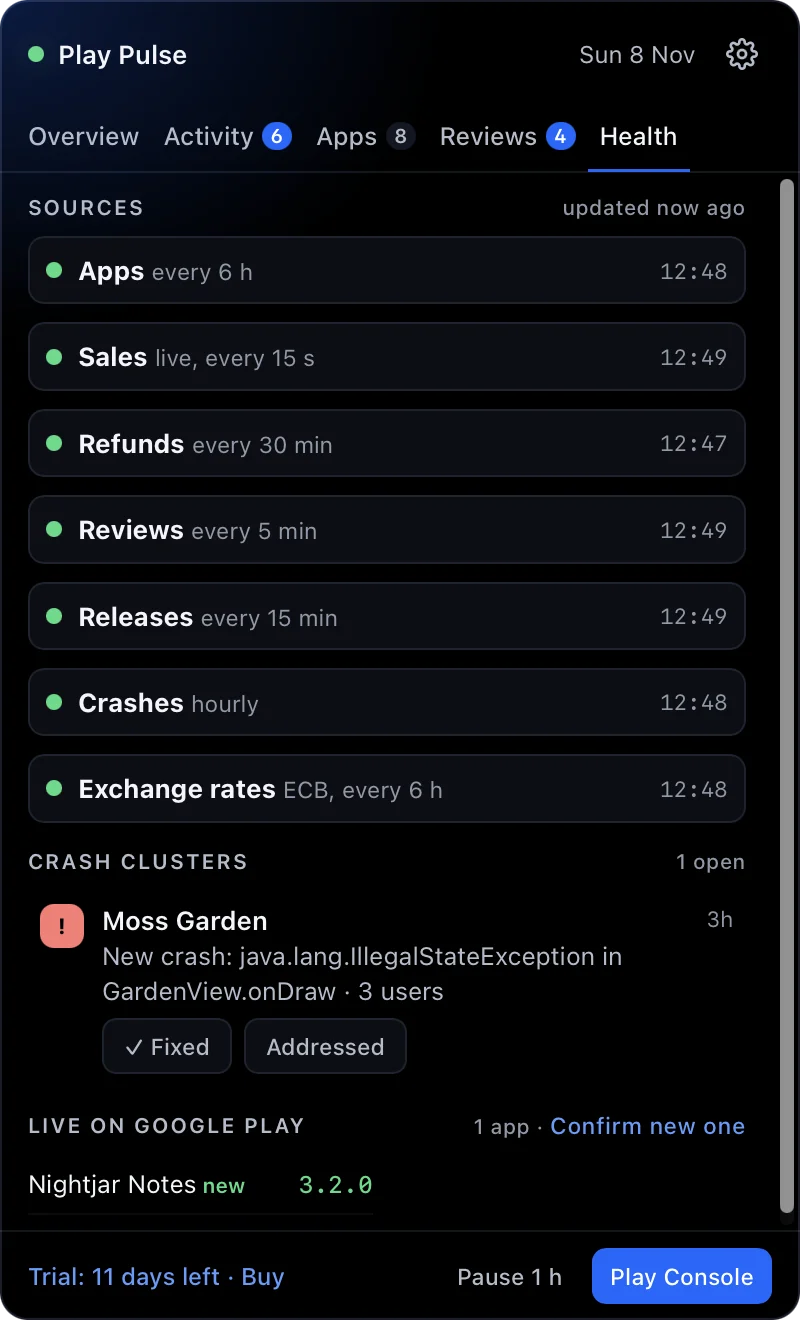
See that every source is working.
The Health tab lists each source with the time it last answered, and the open crash clusters per app. When a source fails, it says why.
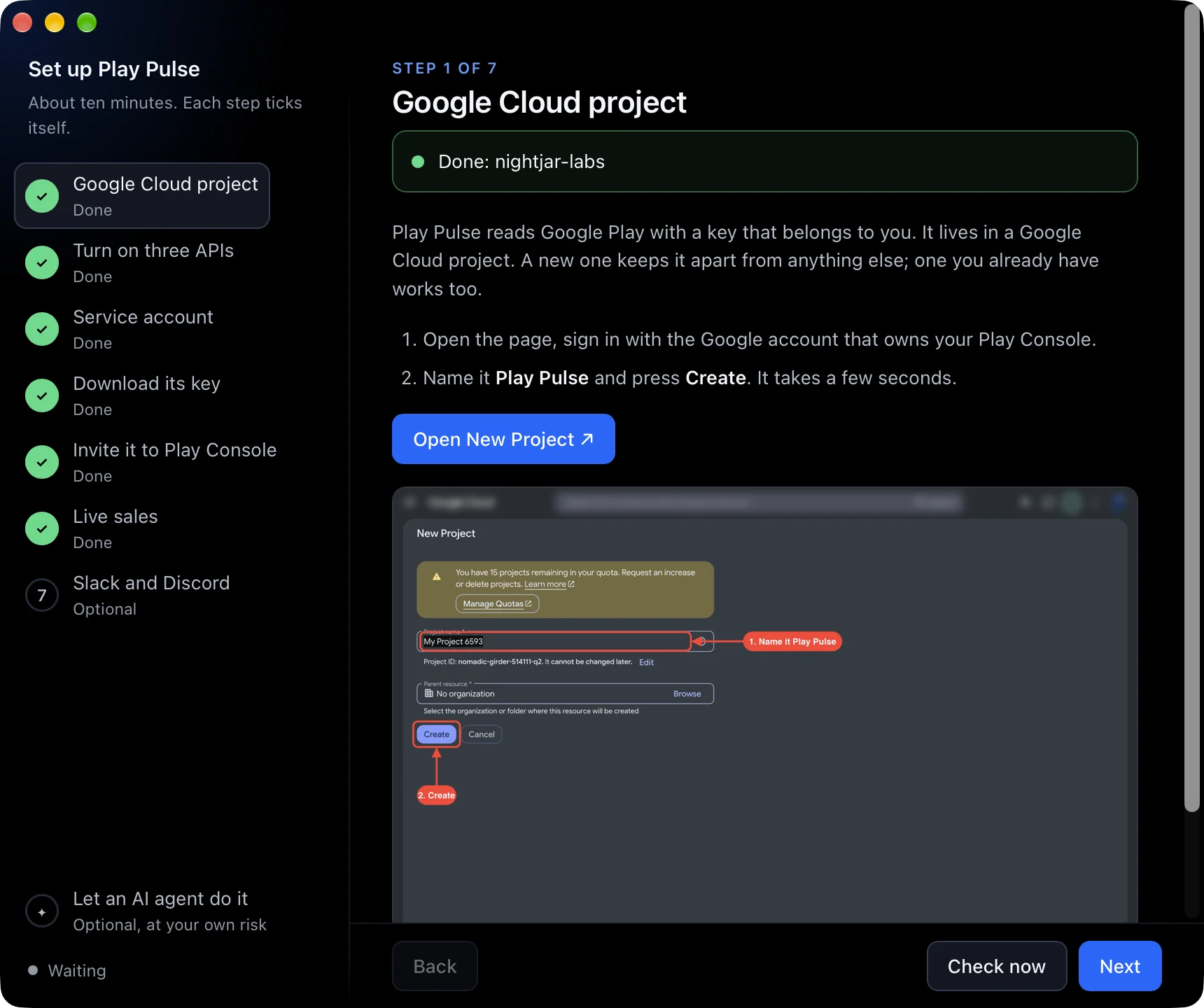
About ten minutes, with a guide that ticks itself.
Open the app and the setup window walks through each Google step with screenshots, boxes and arrows, and ticks each one green as it checks it live.
- A Google Cloud project. A new one, or one you have.
- Three APIs: Play Android Developer, Play Developer Reporting and Cloud Pub/Sub. One link turns on all three.
- A service account with one role, Pub/Sub Admin.
- Its key, dropped on the window.
- An invite in Play Console with four permissions: view app information, view app quality information, view financial data, reply to reviews.
- Live sales, optional: paste the topic Play Pulse made into each app's Monetization setup.
- Slack or Discord, optional.
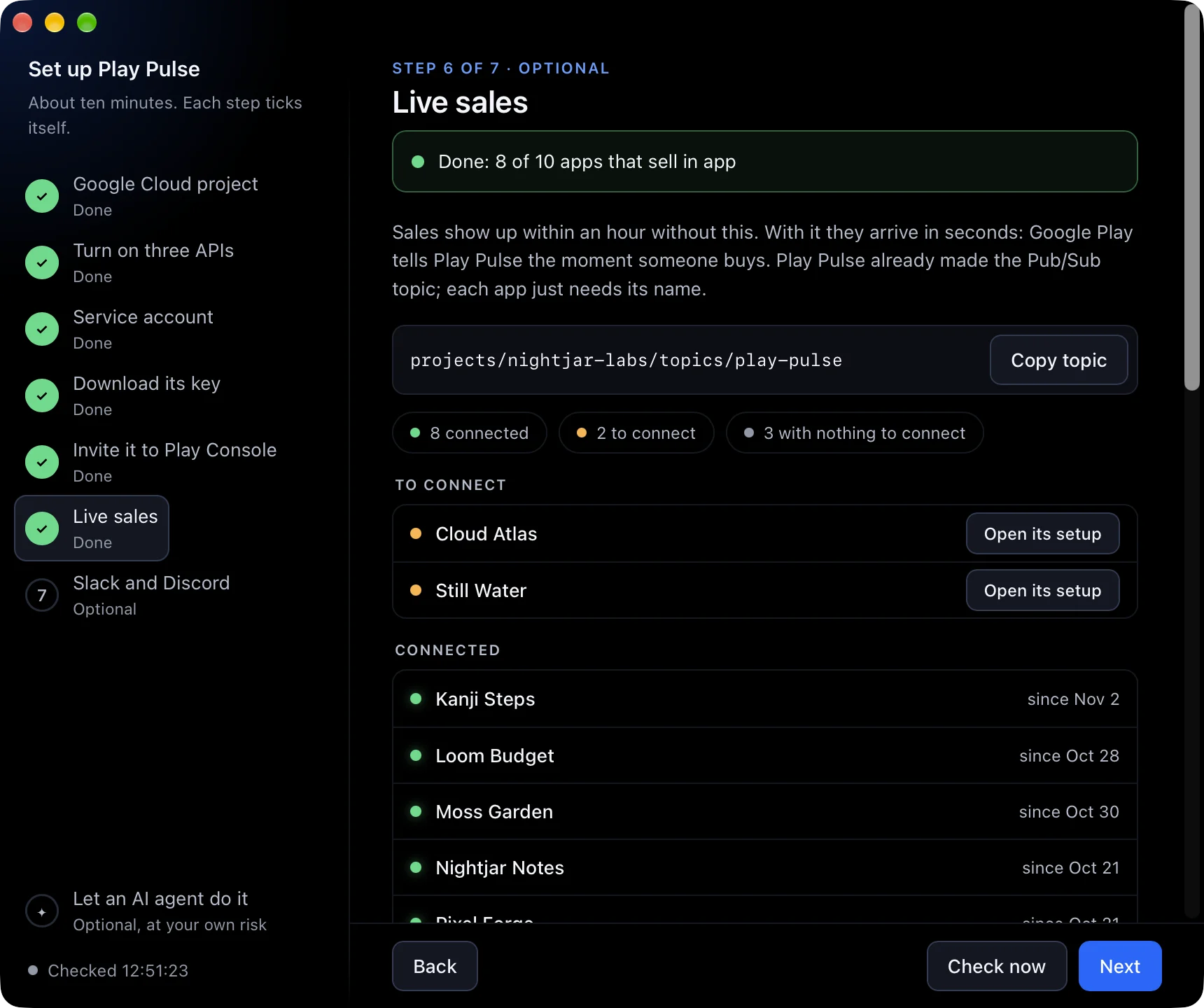
Know which apps are connected.
The live sales step lists your apps: the ones connected and since when, the ones still to connect with a button to their Monetization setup page, and the ones that sell nothing in app, so there is nothing to connect.
Rather not click through it yourself? Optional and at your own risk: the setup window has a prompt you can hand your own AI agent. It asks before every change and never shows your key.
Your key stays on your Mac.
Play Pulse reads Google Play with a service account key that belongs to you. It lives on your Mac, readable by your user only. There is no server of ours in between, and no account to make.
- Talks to Google's APIs with your key, and to nothing of ours.
- Only reads from Play Console. The one Pub/Sub role is there for live sales.
- Posts to Slack or Discord only when you add a webhook.
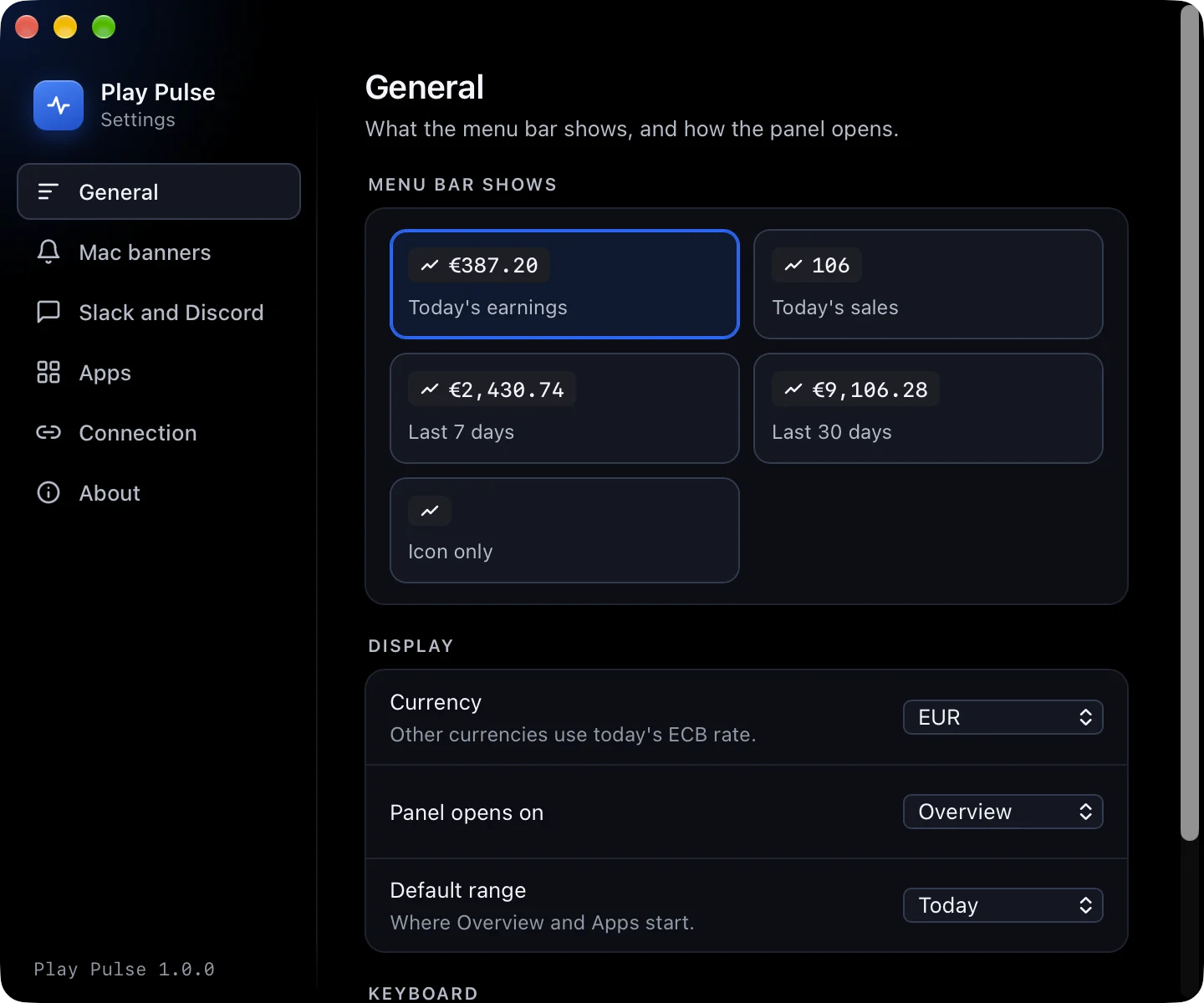
Live Play sales on the Mac, in one place.
The tools we found show Play numbers in a browser tab, once an hour or once a day, and each covers one or two of sales, reviews and crashes. We found none that puts live Google Play sales in the Mac menu bar, so Play Pulse does, with reviews, releases and crashes beside them, and no SDK in your apps.
Play Pulse
One payment, yours for good. No subscription, no account.
- VAT included
- Every 1.x update
- Up to 3 Macs
- 14 day free trial
Payments by Dodo Payments, the merchant of record, which handles the checkout, tax and invoice. Your license key arrives by email.
Free 14 day trial
The download and the free trial come with the 1.0 release. It runs on macOS 13 or later, on Apple silicon and Intel Macs.
We are currently getting approved for the Apple Developer Program. Until then, macOS warns that it could not verify Play Pulse the first time you open it, and you open it from System Settings, Privacy & Security, Open Anyway. The warning will be gone in an upcoming release, once Apple signs and checks Play Pulse.
Questions until then: support@zanoski.com
Good to know
Do I need to change my apps?
No. There is no SDK. Play Pulse reads Google Play's own APIs. For live sales, each app needs the Pub/Sub topic pasted into its Monetization setup in Play Console, once.
Which Play Console permissions does it need?
Four: view app information and download bulk reports, view app quality information, view financial data, and reply to reviews. Google asks for reply to reviews to read them; Play Pulse never replies on its own.
Is the amount what the buyer paid?
No, it is what you earn: Google's developer revenue after tax and Google's fee, converted to your currency with the ECB daily rates.
Where is my key kept?
In Play Pulse's folder in your Library, readable by your user only. The key itself never leaves your Mac; Play Pulse uses it there to sign in to Google.
Is it a subscription?
No. One payment of €14.99, VAT included, for every 1.x update on up to 3 Macs.
Can an AI agent do the setup for me?
Optionally, at your own risk. The setup window has a prompt you can give your own agent. It asks before every change, grants only the four permissions, never shows the key, and stops at billing, passwords and two factor prompts. The maker of Play Pulse takes no responsibility for what an agent does.
Why does macOS warn me when I open it?
We are currently getting approved for the Apple Developer Program. Until Play Pulse is signed and checked by Apple, macOS says it could not verify the app the first time you open it. Press Done, then open System Settings, Privacy & Security, and press Open Anyway next to Play Pulse. The warning will be removed in an upcoming release.
Which Macs does it run on?
macOS 13 or later, on Apple silicon and Intel.